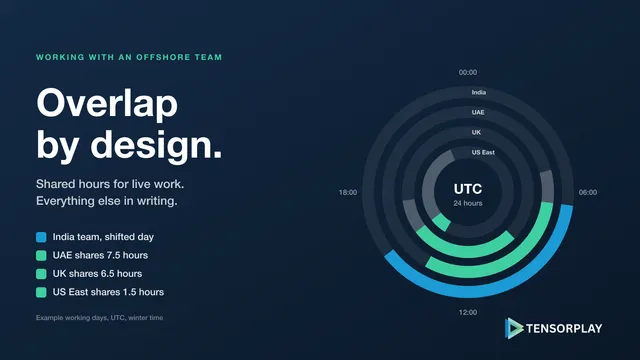
Working with an Offshore AI Team: Time Zones, IP and a Rhythm That Works
How to make an offshore AI or software team in India work from the US, UK, Europe or UAE: overlap hours, onboarding, security and IP, communication rhythm and what to measure.
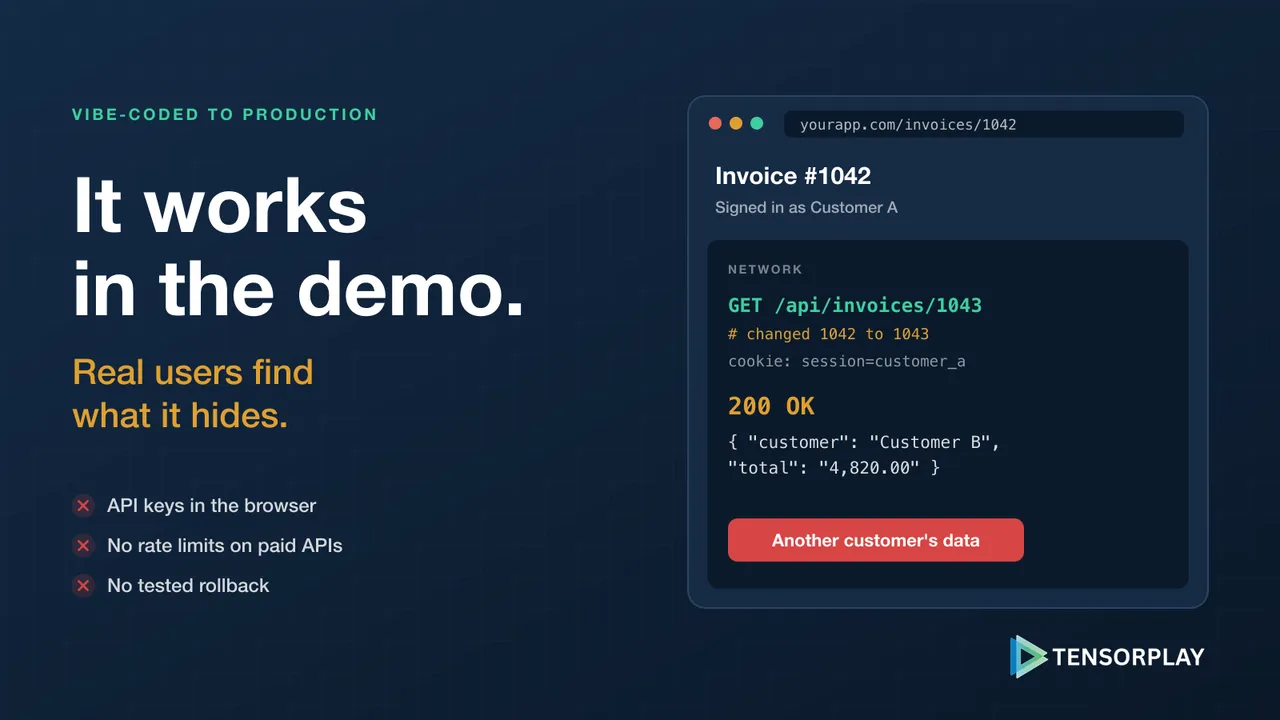
AI app builders get you to a convincing demo fast. Here is what usually breaks when real users arrive, and how to check your app before they do.
AI app builders and coding assistants have changed what one person can make in a weekend. A founder with no engineering team can now describe a product and get something that signs users up, stores data, takes payments and looks finished. That is a real achievement, and it is why so many good ideas now reach the demo stage.
The problem is that the tools optimise for what you can see. A screen either looks right or it does not, so the screens get a lot of attention. What you cannot see — who is allowed to read which record, what happens when a payment webhook arrives twice, how much a single user can spend on your model bill — gets very little.
That gap is invisible until real users arrive. Then it shows up all at once: a customer sees another customer’s data, an API key leaks, the monthly bill is ten times the forecast, or a small change breaks sign-up and nobody notices for a day.
This guide covers what usually breaks, how to audit your app before launch, and how to decide whether to fix what you have or rebuild part of it.
These are the issues we find most often when a team brings us an app built mostly with AI tools. None of them is exotic, and none of them shows up in a demo.
The most serious and most common problem. The app hides the “edit” button from users who should not edit, but the API behind it accepts the request from anyone who sends it. Or the database has row-level security available but switched off, so any signed-in user can query any row.
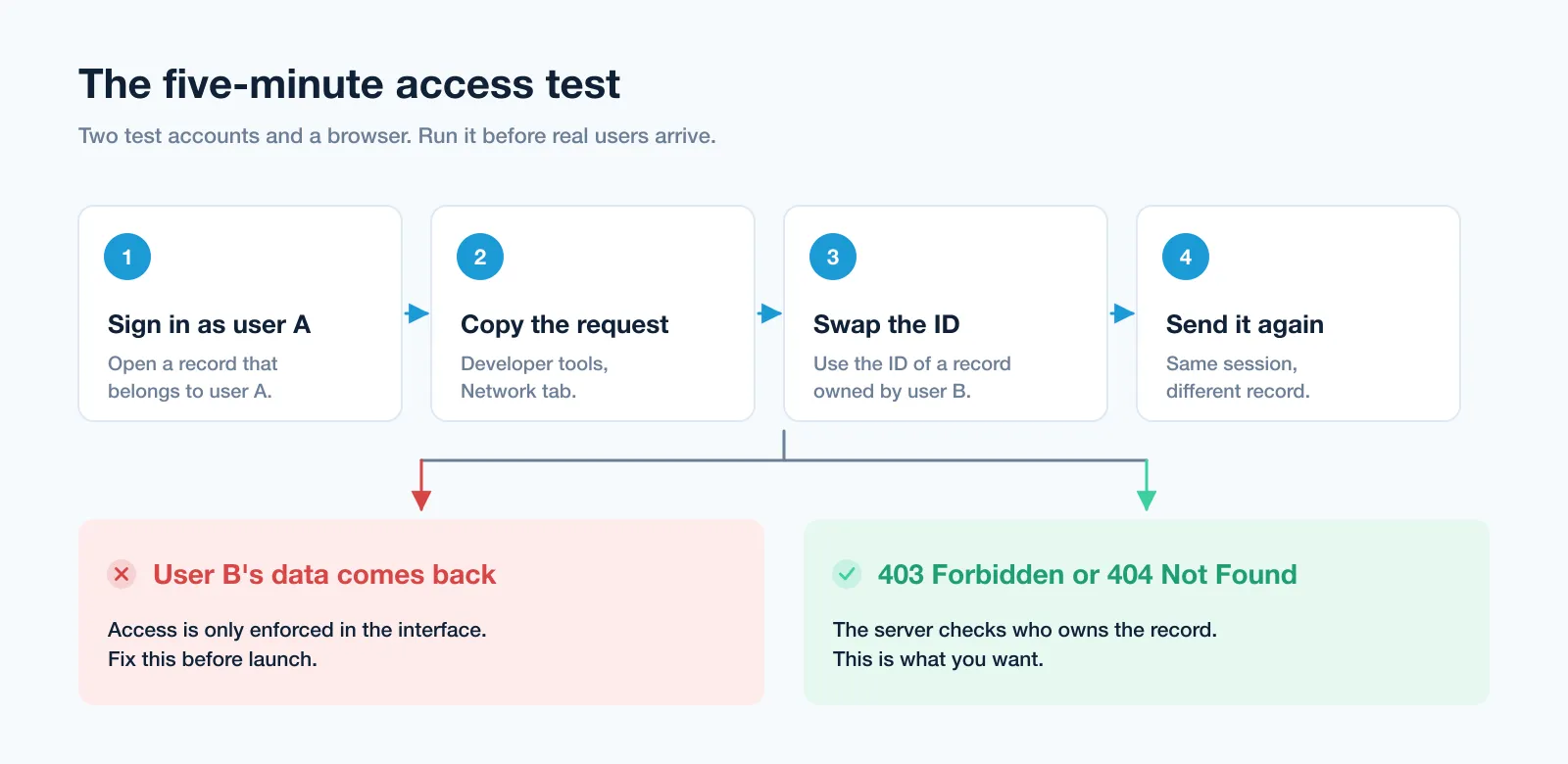
How to check: sign in as one test user, copy a request from the browser’s developer tools, change the record ID to one belonging to a second test user, and send it again. If it succeeds, you have a data leak waiting to happen.
API keys for payment providers, model APIs or the database itself end up in front-end code, because that is the quickest way to make the feature work. Anything in the browser bundle is public. The same goes for keys committed to a public repository.
How to check: search the built front-end files and the repository history for key prefixes and the word “secret”. Every key that has ever been exposed should be rotated, not just removed.
Forms validate input in the browser, and the server trusts whatever arrives. That allows negative quantities, other users’ IDs, oversized uploads and, depending on the stack, injection attacks.
AI features call a model on every request, and nothing stops one user, a bot or a bug in a retry loop from making thousands of calls. The first sign is the invoice. If your app calls a model, you need per-user rate limits, a spending cap with the provider and an alert well before the cap. Our inference cost guide covers how to bring the steady-state bill down once it is safe.
When an app is built by prompting, each new prompt can quietly change behaviour elsewhere. Without automated tests on the flows that matter — sign-up, payment, the core action your product exists for — you only find out from users. You do not need full coverage on day one. You need the five or six journeys that must never break.
Tables were added and columns renamed directly in the production database while the app was being built. There are no migrations, so nobody can recreate the database from scratch, set up a staging copy or roll back a bad change.
The app runs in a single environment that is development, testing and production at once. Backups are whatever the platform does by default, and nobody has tried restoring one. A bad deploy cannot be reversed quickly.
When something fails, there is no record of what happened. You cannot trace a user’s complaint to a request, see which errors are increasing or tell whether last night’s deploy caused this morning’s problem.
AI tools add packages freely. Some are abandoned, some carry known vulnerabilities, and occasionally a suggested package name does not exist at all, which attackers exploit by publishing malicious packages under names that AI models tend to invent. Every dependency should be one somebody would choose deliberately.
The app lives inside a builder platform, deployed to the platform’s hosting, with the database on an account in someone’s personal name. Before you build a business on it, make sure the code is exported to a repository your company owns and every service account belongs to the company.
Work through this before you invite real users, and again before any large launch. It takes a careful engineer days, not weeks, on a typical early-stage app.
| Area | Check | Must fix before launch? |
|---|---|---|
| Access | Every API route and query enforces who can read and write which records, on the server | Yes |
| Secrets | No keys in front-end code or repository history; exposed keys rotated | Yes |
| Validation | Server validates every input it accepts | Yes |
| Cost | Per-user rate limits, provider spending caps and alerts on paid APIs | Yes |
| Data | Backups enabled and a restore actually tested | Yes |
| Payments | Webhooks verified and safe to receive twice | Yes, if you take payments |
| Tests | Automated tests on the journeys that must never break | Strongly recommended |
| Environments | Separate staging and production; deploys can be rolled back | Strongly recommended |
| Database | Schema managed through migrations | Soon after launch |
| Logging | Errors and requests logged with enough context to trace a complaint | Soon after launch |
| Dependencies | Every package known, maintained and free of known vulnerabilities | Soon after launch |
| Ownership | Code, domains, databases and accounts owned by the company | Yes |
If your app has AI features at its core — a chatbot, an agent, retrieval over documents — add the checks from our AI production readiness checklist and the attack paths in our threat model for AI applications. Prompt injection and over-permissioned agents are the AI-specific versions of the access problems above.
This is the question founders worry about most, and the honest answer is usually “a bit of both”.
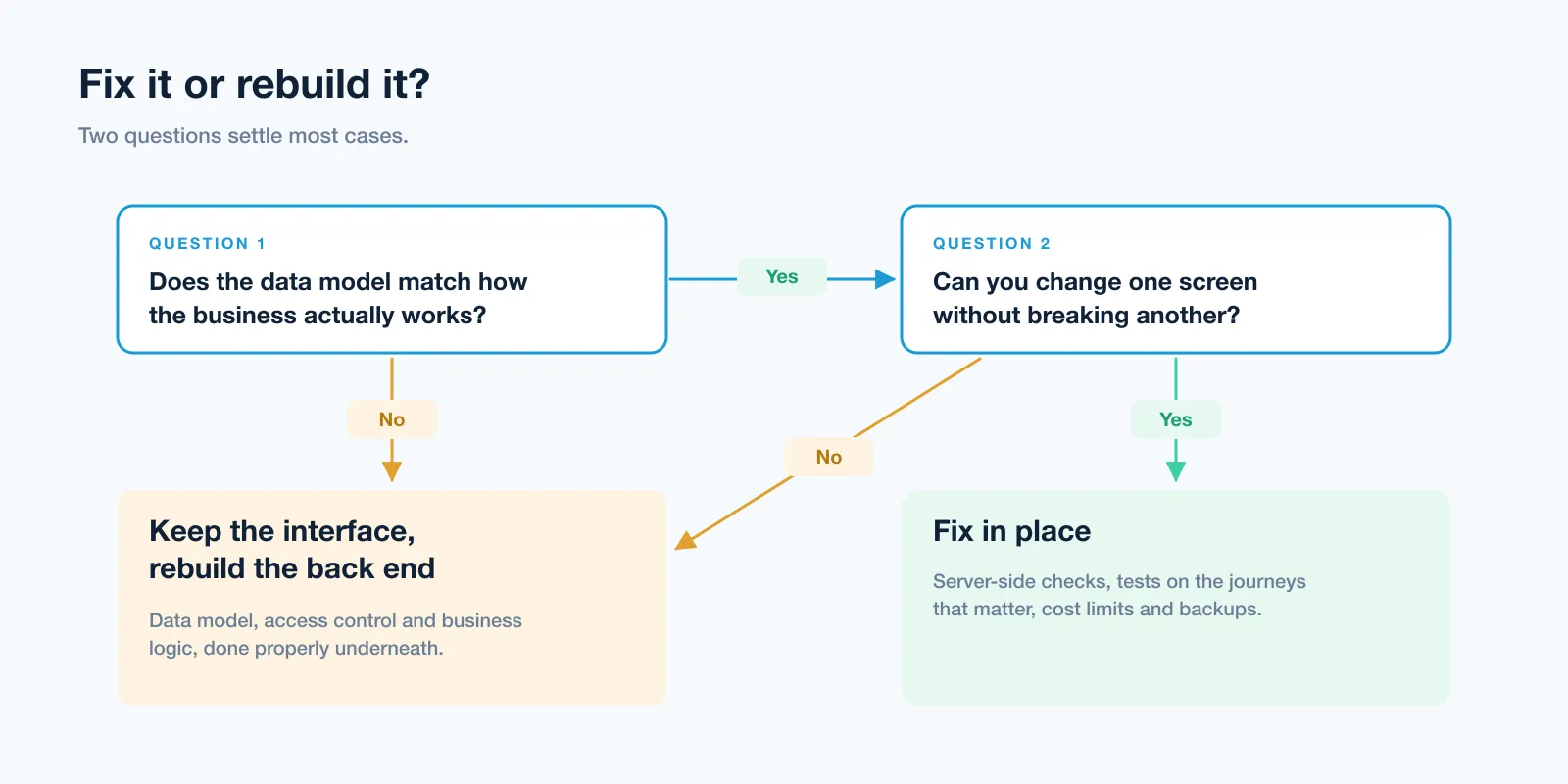
Fix what you have when:
Rebuild the core when:
The common middle path: keep the interface, the product decisions and the things users already like, and rebuild the back end — data model, access control, business logic and integrations — properly underneath. The prototype becomes the specification. That is often faster than it sounds, because the hardest part of any product, deciding what it should do, is already done.
What you should not do is keep prompting your way through production problems. AI tools are excellent at producing code, but they are only as good as the review around them. Once you have paying users, every change needs someone who understands the whole system to check it.
Whether you do it with your own engineers or bring in a partner, the shape is the same:
We wrote about realistic timings for this kind of work in From PoC to Production: An Honest Engineering Timeline.
Taking fragile, AI-built prototypes to production is where Tensorplay started, and it is still our theme: vibe-coded ideas, enterprise-grade reality. We audit what you have, fix the launch-blockers, and either harden the codebase or rebuild the core underneath your existing product, with every change reviewed by a senior engineer.
If you have an app that works in a demo and you want to know what it needs before real users arrive, tell us about it. You can also read how our MVP and prototyping service works.
Answers to common questions about this topic.
How to make an offshore AI or software team in India work from the US, UK, Europe or UAE: overlap hours, onboarding, security and IP, communication rhythm and what to measure.
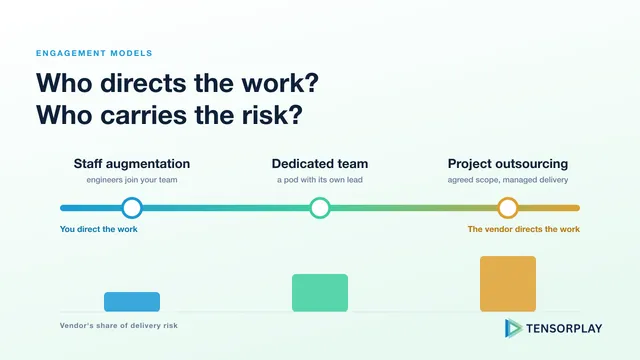
Staff augmentation, project outsourcing and dedicated teams compared for AI and software work: who directs the work, who carries delivery risk, how pricing works and when each fits.
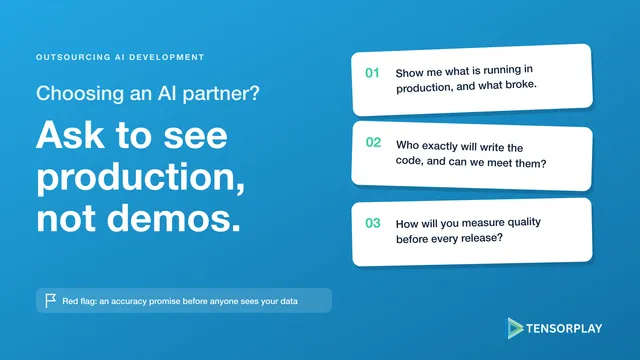
A practical guide to outsourcing AI development: the questions to ask a partner, the red flags to watch for, what to put in the contract, and how to run a paid trial.
For founders
Turn a raw idea into a working proof of concept or MVP in weeks, not months, so you can validate before you over-invest.
Book a discovery callFor AI builders
AI-native applications, curated datasets and trained models, built by engineers who run AI systems in production.
Discuss your AI projectFor scaling teams
Vetted tech specialists who plug directly into your sprint cycle, without the hiring overhead.
Request engineersFor tech leaders
Direct access to experienced engineering leaders for architecture reviews, engineering management and crisis unblocking.
Book a strategy session