From brief to storyboard
Describe the video in a few lines. The assistant develops the brief, gathers facts with their sources and writes the narration and storyboard. You approve each phase before it moves on.
Tensorplay Studio turns a short brief into a finished explainer video. An AI assistant researches the facts, writes the script and storyboard and builds the animated scenes. You review, edit, add voice-over and render every format and language you need, all on your own computer.
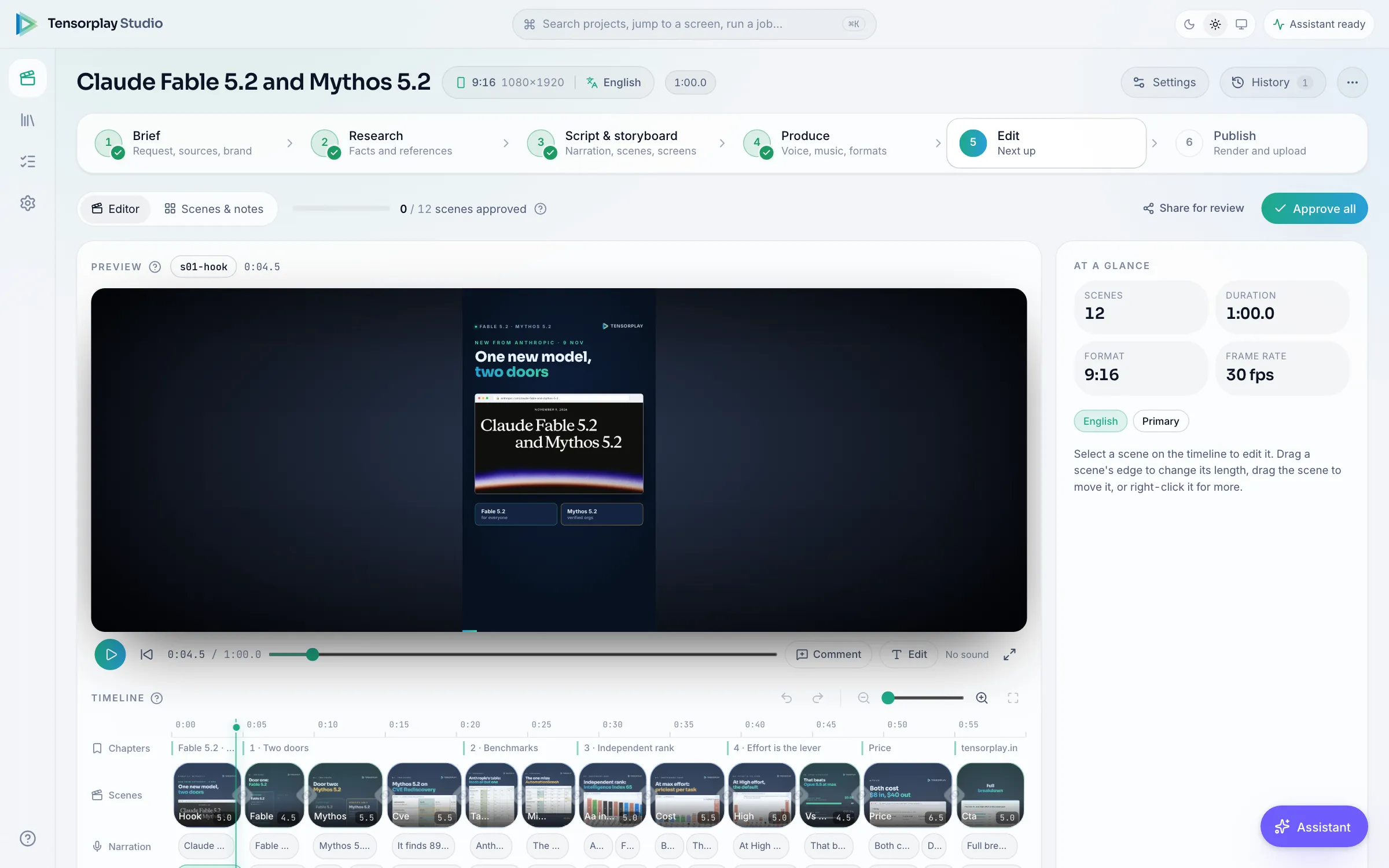
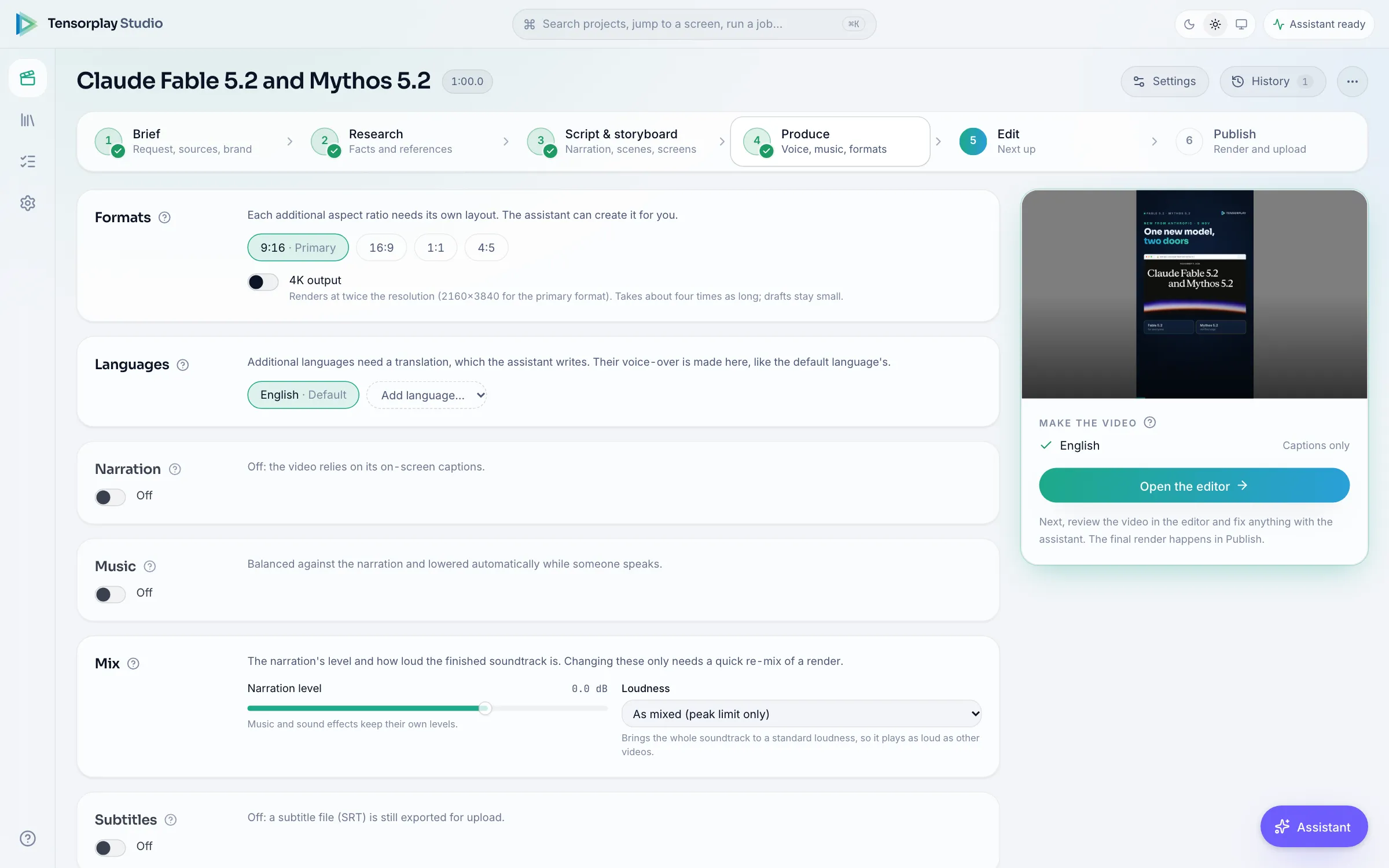
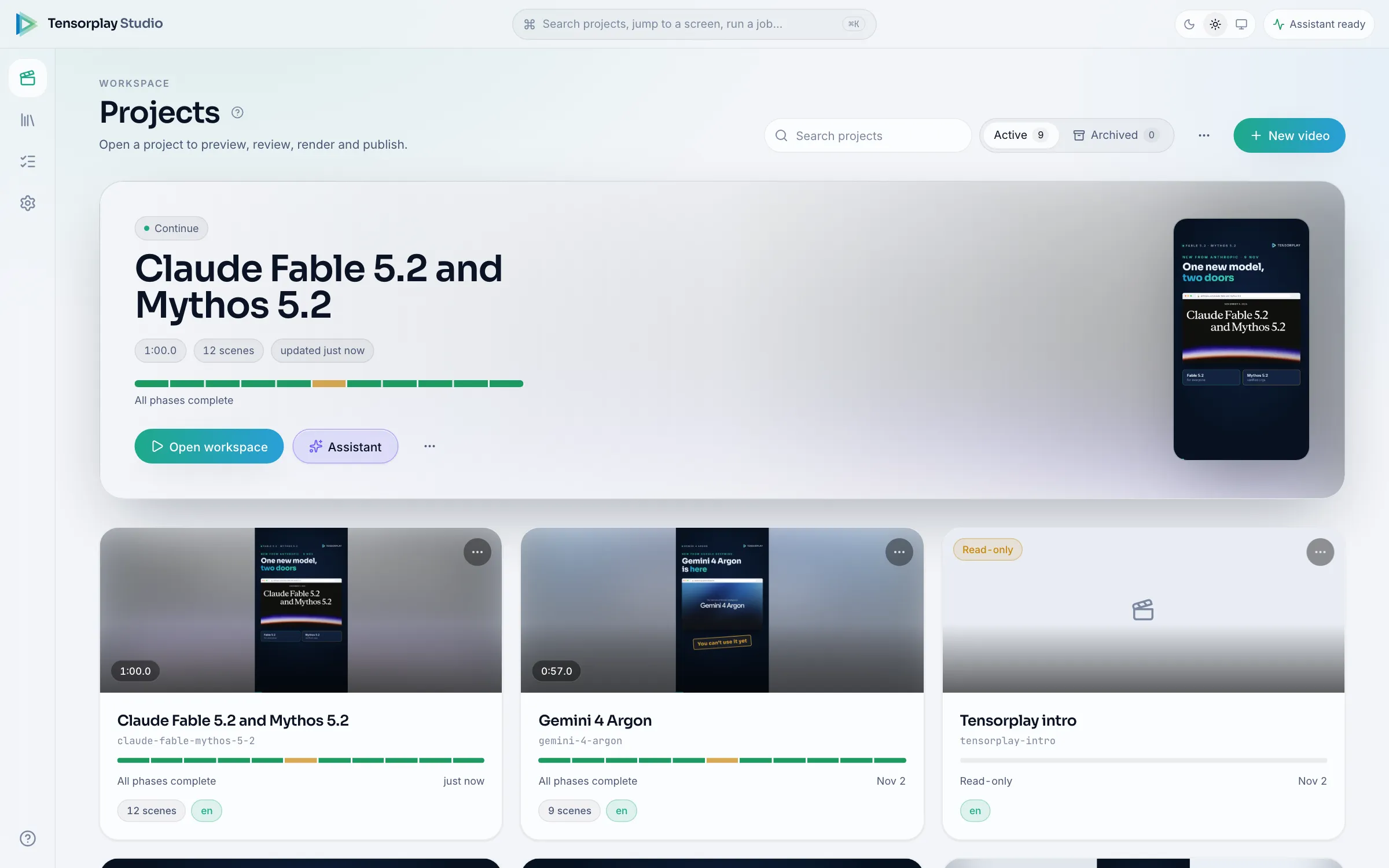
Describe the video in a few lines. The assistant develops the brief, gathers facts with their sources and writes the narration and storyboard. You approve each phase before it moves on.
The assistant builds the animated scenes from the storyboard, starting from templates for explainers, comparisons, tutorials, feature launches and news round-ups.
Pick the aspect ratios and languages, generate the voice-over, add music and subtitles and set the mix. Each format gets its own layout.
Play the video in the editor, retime scenes on the timeline, change on-screen text and narration, pin notes to a frame and approve scene by scene.
Render the final video and download an upload pack with the video, captions, a thumbnail and the details to paste into YouTube Studio.
Projects, voice samples and renders stay on your computer. Studio has no account and no analytics, and it never uploads a video for you.
Common questions about Tensorplay Studio.
Whether you need an MVP, an AI product, more engineers or a second opinion from someone who has done it before, the first step is a short call. We will tell you plainly whether we can help.
Book a discovery call